HOA AI Budgeting Tool
The Budget Your Governing
Documents Actually Prescribe.
Most HOA budgets are last year plus a guess. ResLife reads your CC&Rs and calculates every assessment the way your documents say it should be - then reads your minutes, contracts and actuals so the numbers reflect the year you actually had. Shows the math on every line. Take it back to whatever system you run today.
Last Year, Plus a Guess
A Flat 3% Isn't a Budget.
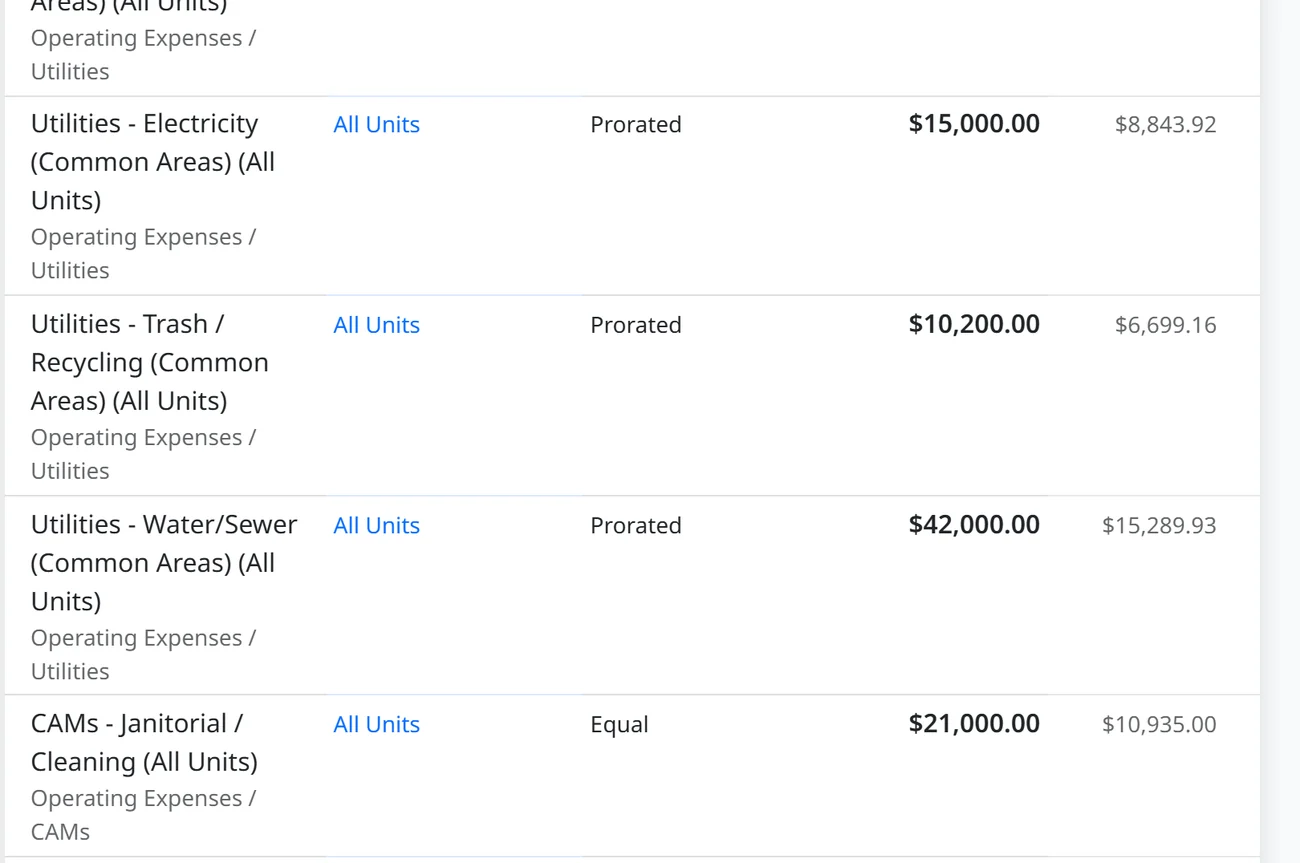
Too many HOA budgets are a black box: last year's spreadsheet with a percentage added on top, and no one can show the board how the assessments were calculated or whether they follow the governing documents.
Sound familiar?
Compliant
Your CC&Rs Decide How Costs Are Shared.
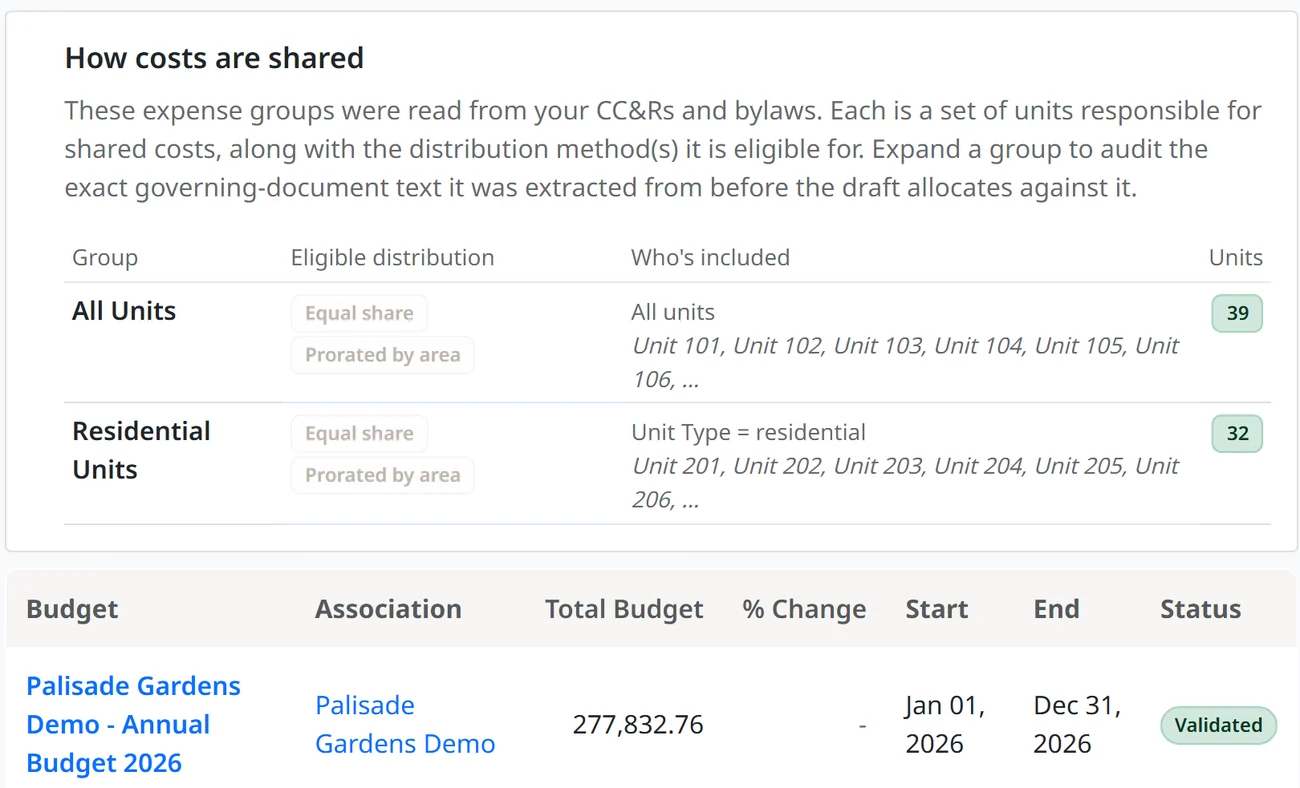
ResLife reads your CC&Rs and Bylaws and finds how your community actually shares costs - equal share, by square footage, or by percentage of interest. Each expense group is cited to the article and section it came from. Where your unit data can't support a group yet, it says so instead of guessing.
Your state's statute is enforced on top of that. A regular increase past the limit your state sets is blocked, not flagged. A special assessment past the threshold that triggers a member vote opens that requirement before it goes anywhere. And where your own documents are stricter than your state requires, yours win.
Almost no budget is ever checked against the documents that govern it. This one starts there.
Context-Aware
Your Budget Should Reflect the Year You Actually Had.
You refinanced the roof loan. The bulk-buy internet agreement you negotiated starts billing owners this spring. And the landscaping contract escalates 4% at renewal whether anyone remembers it or not. A flat 3% misses all three - the work you did to improve the cost structure vanishes into an average, and the increase you couldn't avoid isn't in there either.
ResLife reads the documents where those decisions actually live: your board minutes, your active contracts, and your budget-to-actuals. Every line comes back with a plain-English reason for the number, citing the prior actuals, contracts and reserve studies it used.
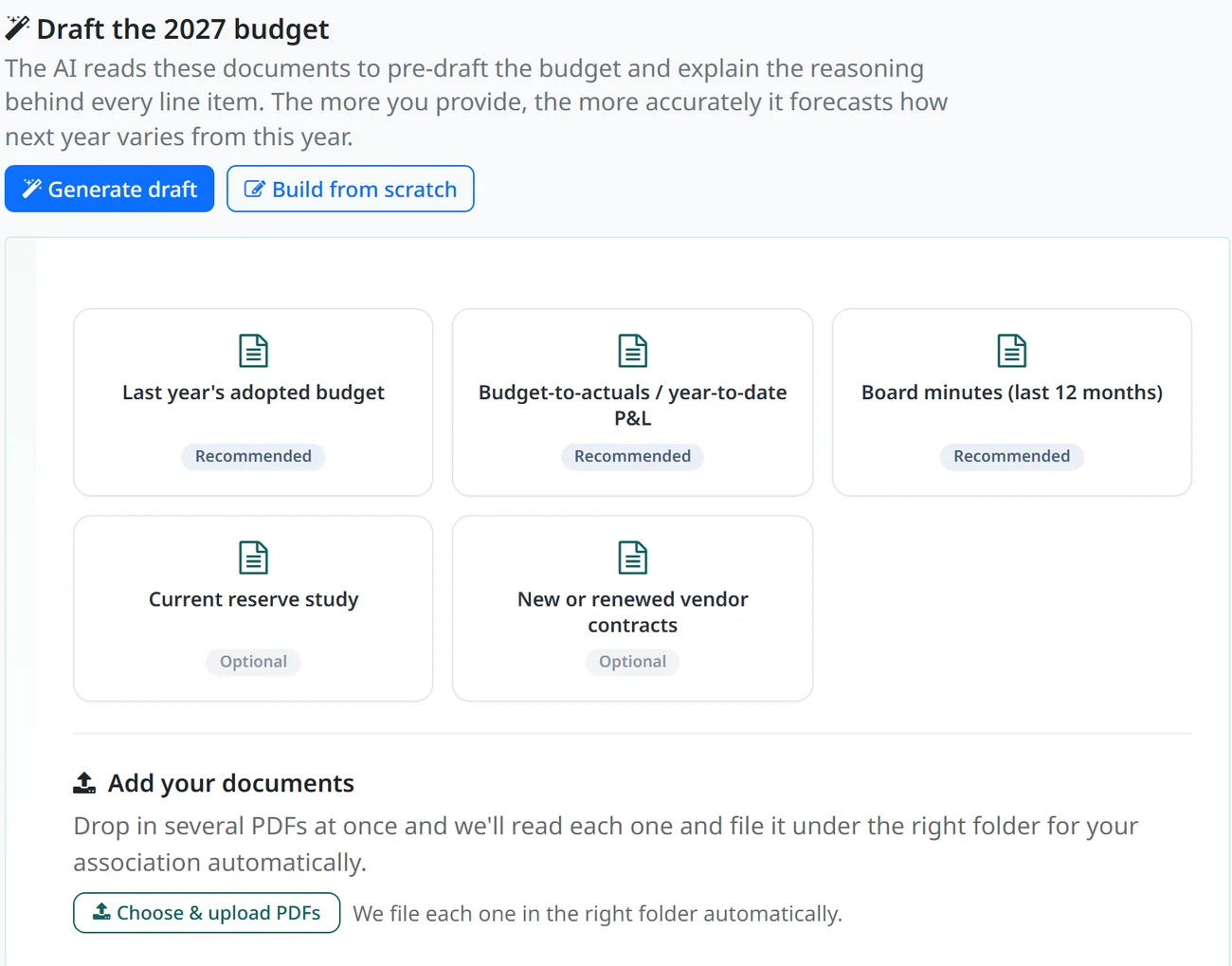
None of these documents is required. Without them your budget is still compliant - the cost-sharing method still comes from your governing documents, the per-unit math is still exact, and the statutory caps still hold. What you lose is the forecast, not the accuracy.
System-Agnostic
Use the Tool. Keep Your System.
Nothing has to move for this to work. ResLife builds the budget and derives every per-unit assessment, then hands you the board packet and the assessment schedule as documents you can take anywhere your books already live. No integration, no data migration, no IT project, nothing to install.
Switching is a separate decision, and it stays yours. If you ever want ResLife to collect the assessments it calculated, that is a change you make at your fiscal year start - never a prerequisite for using the tool now.
The Whole Capability
All of This, and More.
From Budget to Collected
The Budget Is Done. How Far You Take It Is Up to You.
Let ResLife Send the Notice
Board approval prepares the annual budget notice for distribution, on the statutory clock, without anyone tracking the date by hand.
Let ResLife Collect Next Year
Connect Stripe and the assessments you just calculated become recurring dues and one-time invoices. Nothing is re-entered.
Migrate Your Books When You're Ready
A clean fiscal-year start is the natural moment. You already have a head start, not a migration.
Questions
What Managers Ask Before Building an HOA Budget.
How long before I can build a budget?
Most associations go from registering to a first draft in an afternoon. The only thing you type is your association's basic details - everything else is an upload. Your unit list comes in from a spreadsheet template. Your governing documents tell ResLife how costs are shared between members, so you review the proposed expense groups instead of building them from scratch. No chart of accounts, no GL setup, no migration, and nothing to install.
How are HOA assessments calculated?
ResLife reads your CC&Rs and Bylaws to find your cost-sharing method (equal share, by square footage, or by percentage of interest), then applies deterministic per-unit math. Every assessment traces back to a cited section of your governing documents.
Does ResLife use our general ledger accounts for the budget?
No, and that is deliberate. Legacy HOA software budgets straight off the chart of accounts, so the budget can only ever be as detailed as the P&L - and your P&L should not carry a separate landscaping line for every member class, because your auditor and tax preparer need it clean. ResLife budgets and tracks on a second dimension, so one $48,000 landscaping cost can split into residential and commercial shares while still rolling up to a single P&L line for the annual review and the tax filing.
Is it really free? What is the catch?
Your 2027 budget is free to build, including complex budgets. We earn money later only if you choose to collect payments through ResLife or run more of your community on the platform, so we would rather you start with something genuinely useful.
Do we have to share our CC&Rs and financials? Is our data safe?
Your documents stay in your association's private workspace. ResLife reads the relevant pages to draft a budget, and nothing reaches owners until your board reviews every line. You own your data.
Do we have to switch our whole system?
No. The budget tool works on its own - build the budget here, take the numbers back to whatever you already run. If you ever want the paid features, you already have a head start, not a migration.
Can we collect the assessments too?
Yes. Connect Stripe and collect online through ResLife on the free tier, with a small markup on top of Stripe's payment processing fees. Regular assessments become recurring dues; special assessments become one-time invoices.
What do we need to get started?
Your CC&Rs or Bylaws, so ResLife can set up how your community shares costs. Everything else is optional context: last year's adopted budget, your current financials and recent board minutes all make the draft sharper, and your reserve study and new vendor contracts sharper still. Starting from scratch is supported - nothing is required.
Free for Your 2027 Budget
Build a Budget
You Can Stand Behind.
Grounded in your governing documents, forecasted from your real numbers, ready to defend to any owner. No trial, no credit card.
Your 2027 budget is free - including complex budgets with multiple expense groups or distribution methods.