HOA Resident Portal
The Answer Is Already
in Their Portal.
Submit a Unit Action, track it against a real due date, and read the current documents yourself. Nothing waits on a community manager opening an email first.
Free to use. No trial, no credit card.
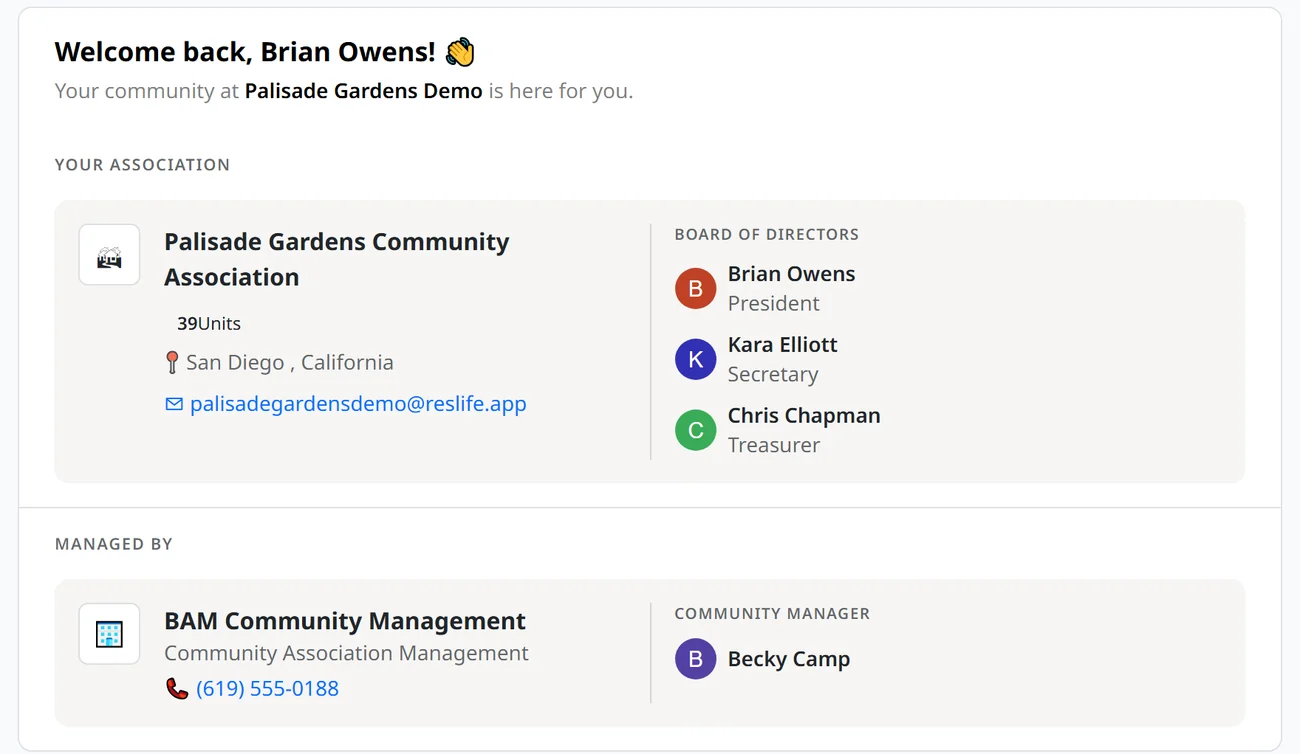
Unit Actions
The actions your association makes available on your unit:
- Schedule move in / Schedule move out
- Add or remove parties or roles on the unit
- Submit Architectural Application
- Report an issue · File a complaint
- Purchase replacement gate remote or common area key
Each is a form in the portal that collects what it needs and takes payment where there is a fee. No PDF to download, fill in, and email back.
Request tracking with due dates
Every request you submit carries a deadline for the people who have to act on it. It lands on the community manager’s Community Docket and stays there, reminding them, until the work is actually done. Where your governing documents or state law set the timeframe, that is the deadline used. You track it in your Activity Center.
Documents and records on demand
Governing documents, operating rules, insurance certificates, board roster, agendas, and approved minutes. Search past minutes by term and land on the meeting where it was decided, including what the board recorded. No request, no waiting.
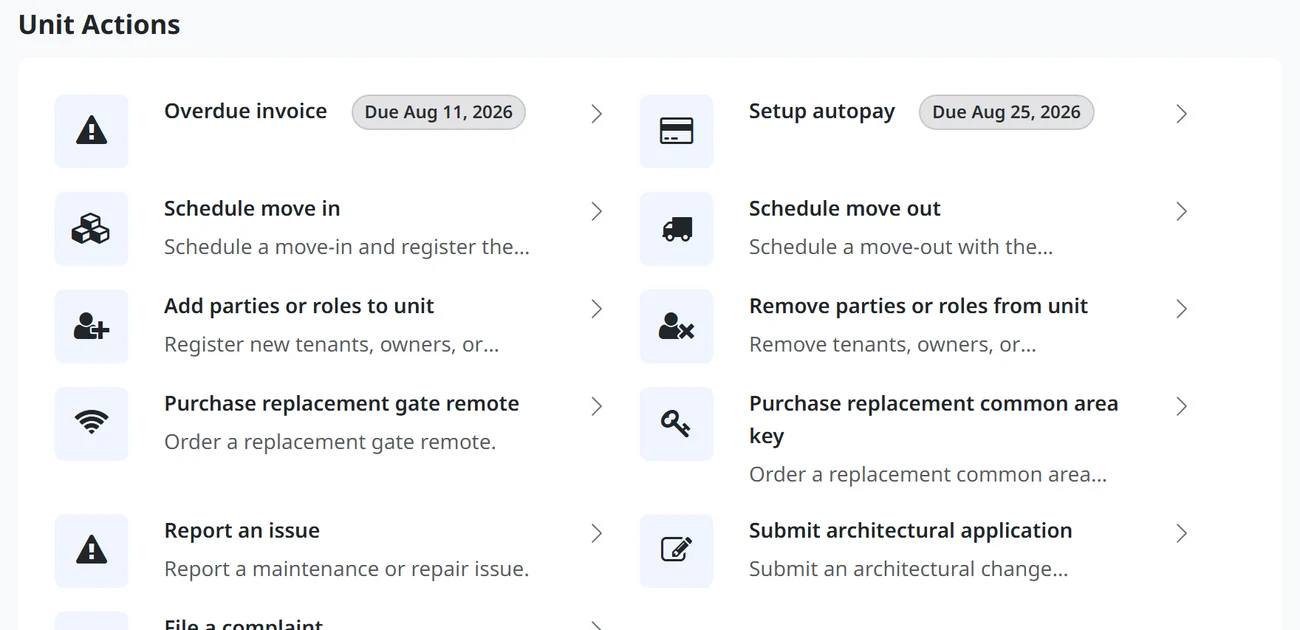
Assessments and Payments
- Your balance, what is due now, and every past invoice
- Set up or cancel autopay yourself
- Print your own account ledger for a refinance or sale
- A late-fee warning while you still have time to pay
- Request a payment plan; it goes to the board as an agenda item and is heard in closed session
A payment plan request does not pause what you owe, and the portal says so before you submit.
What This Does for Your Manager and Board
The same three minutes you were going to spend writing an email, spent somewhere it counts. Most boards are made up of owners.
| You | They stop |
|---|---|
| Check your balance | Fielding the “what do I owe” call |
| Submit a Unit Action | Re-keying a PDF form into the system |
| Track it in your Activity Center | Answering the same request three times |
| Print your own ledger | Assembling escrow paperwork by hand |
| Search the minutes | Re-answering it before every meeting |
| Keep your Architectural Application approval on your unit | Losing an argument about a prior owner’s permission |
Requests Land on a Named Person’s List.
You start it, you can see it, and it has a date attached.
Questions
Who can see what I submit?
Your association’s staff and board, not your neighbours. Documents are scoped by role. Anything about your individual account, such as a payment plan request, is heard in closed session rather than on an open agenda.
My association already has a portal. How is this different?
Most portals show a balance and give you a contact form, and the form becomes an email. A Unit Action is the work item itself: it carries your unit, your role, your documents, and your payment, it opens the correct process, and it has a due date attached to it.
I am on the board. Can we control what owners can do?
Yes. Each Unit Action is switched on per community and limited to the party types you choose, so owners, tenants, and board members can each be given a different set.