Community Docket
One Worklist for Your
Whole Book of Business.
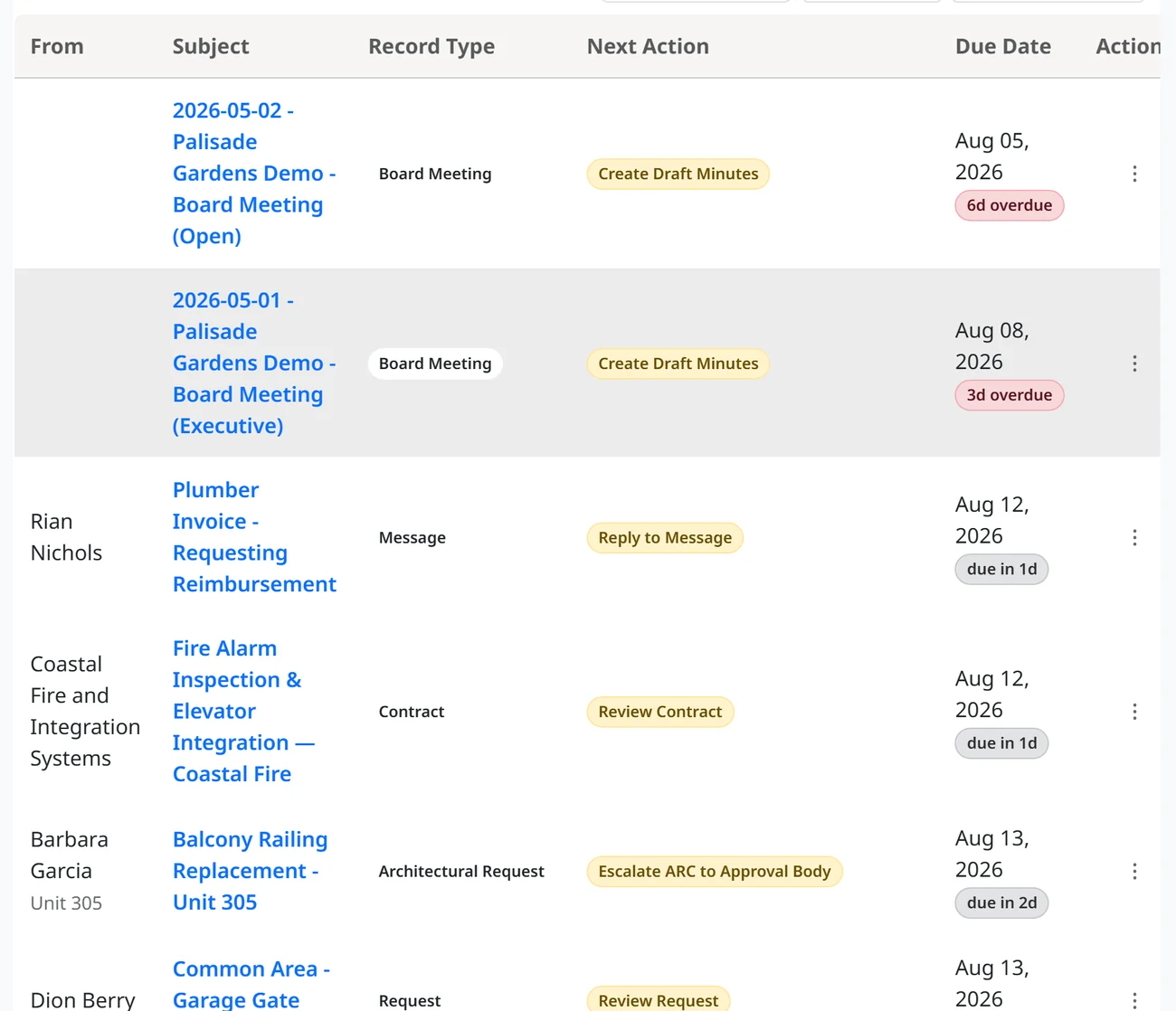
You shouldn't have to hold every deadline in your head. The Community Docket remembers the work, sorts it, and queues it up when it needs your attention, so nothing slips.
A free tool you can use on its own. Move over the rest of your systems later, if you choose.
The Weight You Carry
The System Does the Remembering,
Not You.
Every deadline, every request, every promise to an owner lives in your inbox and your head. You can never fully switch off, because something might be slipping. That's why we developed the Community Docket.
Everything in One System
The System Runs the Work
Because the Work Lives Here.
In most communities, requests, applications, agendas, and minutes are PDFs and Word files scattered across email and desktops, where no system can act on them.
ResLife digitizes every record in one place, visible to every manager and board member. Once the work lives in the system, it runs along workflows built by process engineers, not accountants, and queues each item up when it needs your attention.
How it works now
- Violation letter v3.docx
- ARC approval scan.pdf
- Re: Fwd: leak unit 305
- Board notes 2-16.docx
- vendor bid FINAL.pdf
- Minutes DRAFT (2).docx
- Assessment ledger.xlsx
- Text from the president
On the docket
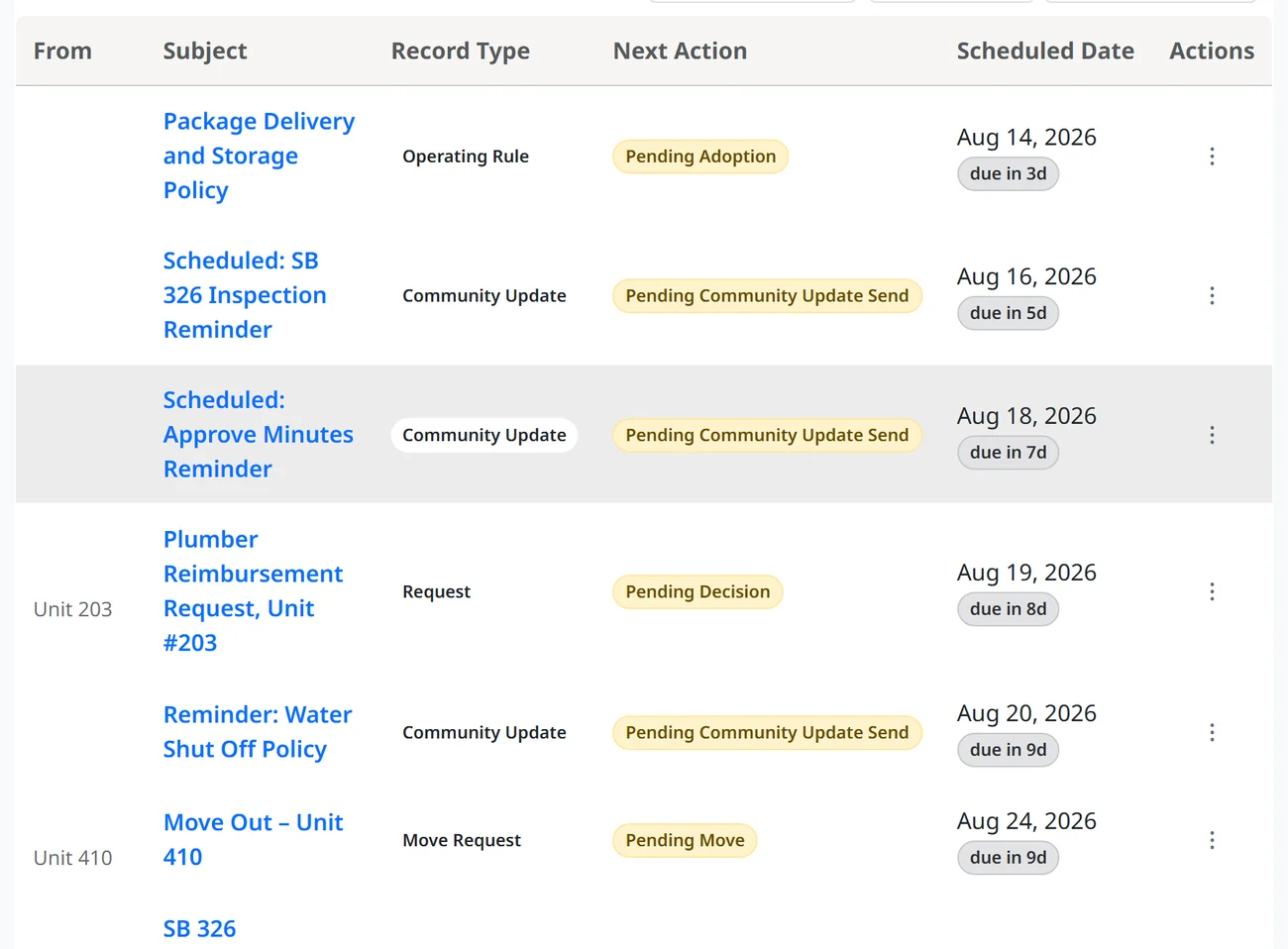
- Leak reported, Unit 305 Pending decision
- Balcony and patio rule, proposed Pending adoption
- Roof shingle repair, three bids Pending board review
- Move out, Unit 410 Pending move
The Virtual Inbox
Every Community Gets a Virtual Inbox.
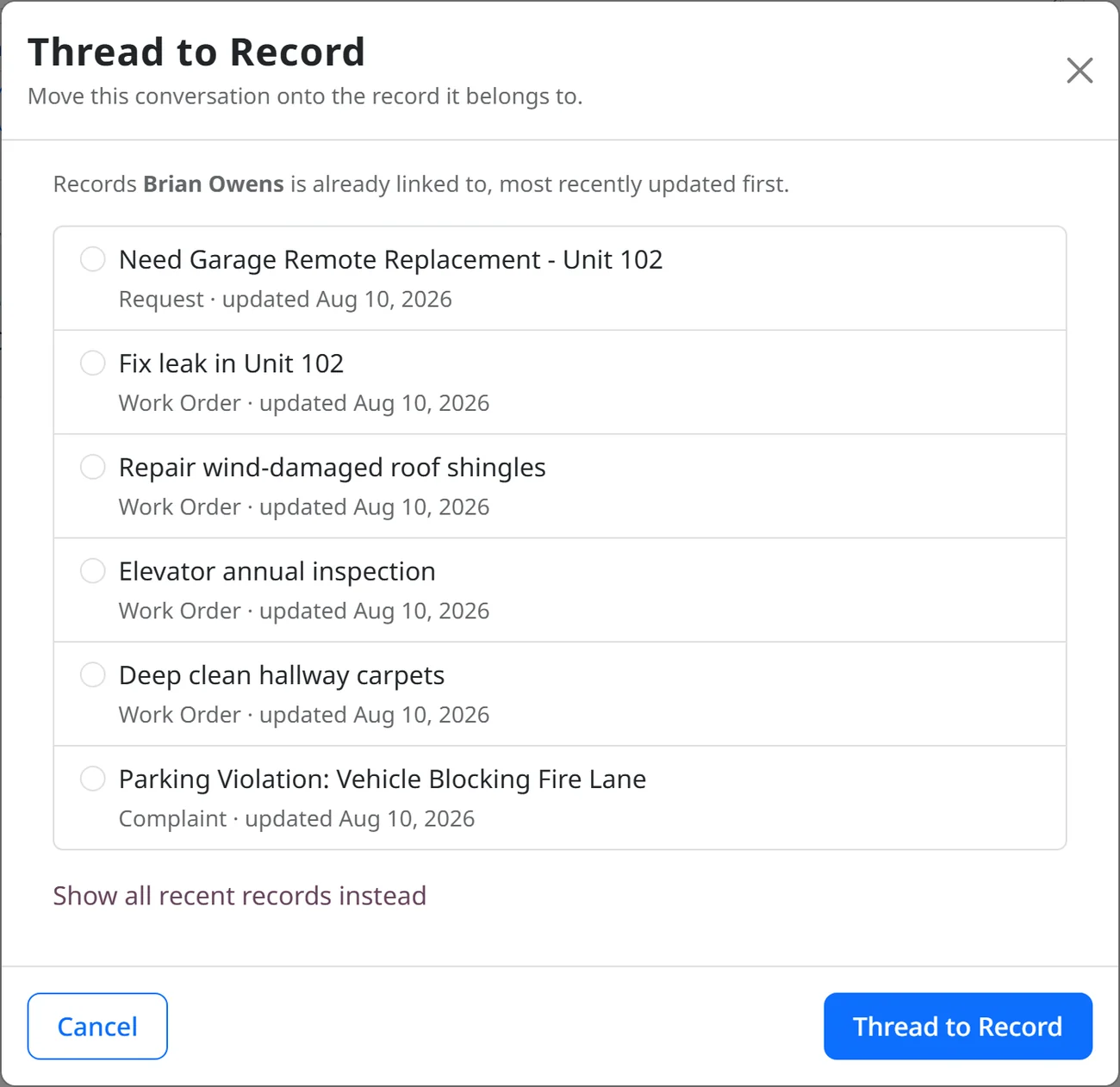
Forward any requests or items you need to track to your virtual inbox, and it files itself to the right record. Share this email alias (i.e. mycommunity@reslife.app) with your community members and vendors and see all interactions move into the system. Tracked, threaded to the conversation, and ready to work.
The Activity Rule Engine
Right Work, Right Time,
Done for You.
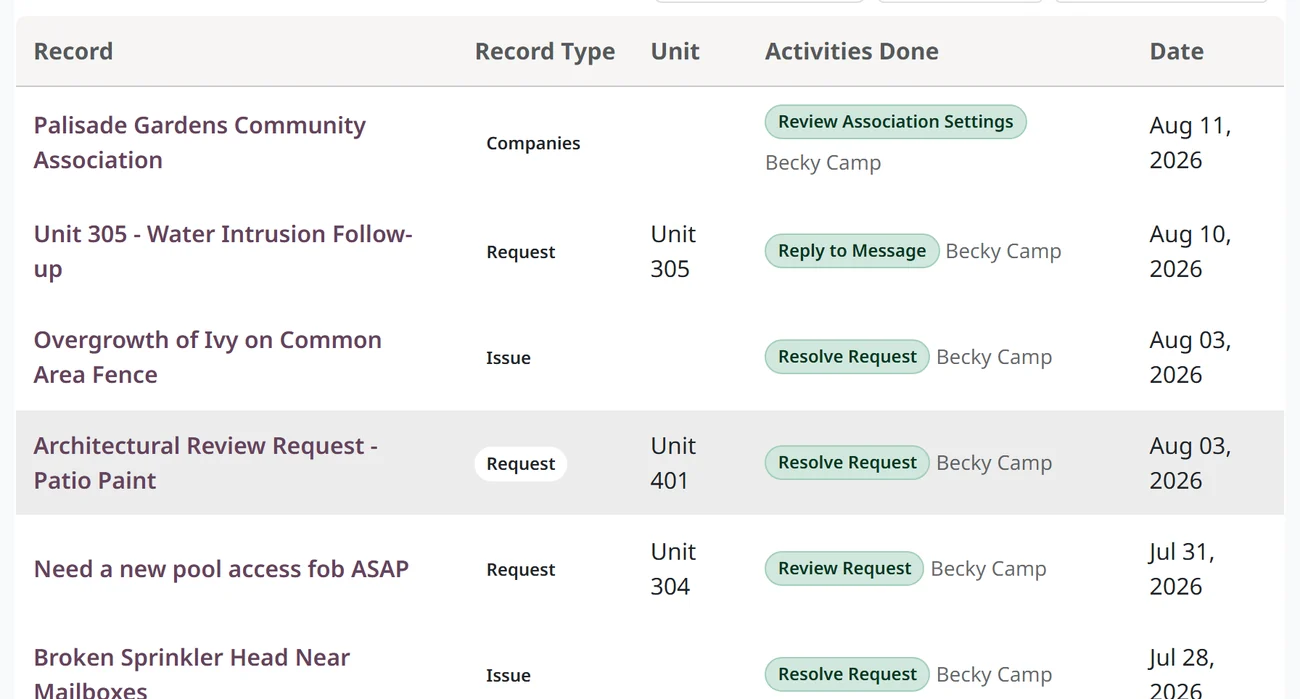
The Activity Rule Engine surfaces the right work at the right moment, curated and managed inside the system. Activities fall off your list the moment their record is updated so you never have to mark something as done.
- The right work at the right time, ranked for you
- Curated and managed inside the system, not your inbox
- Action items that complete themselves, so nothing lingers
Native Request Processing
Requests Arrive as Records.
Every kind of request a community handles is processed natively, with no PDF to print, sign, and scan. Residents submit through their portal, or simply email it in, and you handle it in the Docket, usually in a few clicks.
Handle it in the Docket. Escalate when needed.
Most requests are resolved in a few clicks. When an item needs a board decision, escalate it and its full context moves to the agenda. After the meeting, the resolution flows back to the original record automatically.
Ready to run the whole operation?
The paid plan adds vendor RFPs, work orders, contracts, the operating-rule lifecycle, and a full accounting suite, all on the same system you are already using.
Upgrade to the Paid PlanReclaim Your Life
Close the Laptop at Six and
Leave Work at Work.
When the Docket holds every deadline and open item, you stop carrying them home.
Getting Started
As Simple as One, Two, Three.
Add Your Community
Upload your governing documents and basic details for your community, or communities. The system pulls in your unit data automatically.
Bring In Your Members
Import your user and member data, then optionally invite them so they gain access to the unit portal.
Start Using
Forward emails into the system, or update the invoice email vendors have on file, so those records land in your Community Docket.
Whether you use the unit portal or just the management portal for internal purposes, the Docket's new inbox becomes your router for work.
Questions
The Docket, Answered.
Is the Community Docket task management software for HOAs?
Yes. It is task and workflow management built for community associations, with action items that complete themselves. But unlike other project or task management systems, you and the system manage underlying business records that each have their own workflow and prescribed activities to move the records forward to completion. This is better for record keeping as every action taken maintains a complete audit trail. Designed by process engineer experts to take the busy work out of managing Association business.
How do community members submit requests? Is the virtual inbox the address they email?
They can email the virtual inbox, but the recommended way is inside their unit portal, where a resident or owner opens a request and it lands on the right record from the start. The system is also intelligent enough to handle requests emailed in: send one to the community's address and it files itself to the correct record. Either way, the request becomes a real record you can work, not just a message in a mailbox.
How does message threading work?
Every message is attached to the record it is about: a request, a violation, an application, a work order. Replies thread onto that same record in order, so the whole conversation stays in one place and moves with the work.
Will replies come back to my personal email inbox?
Yes. You still get email notifications when someone replies, so you stay in the loop. The message and its full history also live on the record, always available inside the management portal, so the work never depends on your personal inbox.
How do I know which stakeholders receive a message?
Each record shows who is following it, so before you send you can see exactly who will be notified.
Can I send a community-wide update?
Yes. You can send an announcement to the whole community, and it goes out as a notification while staying recorded in the system.
Do we have to switch our whole system?
No. The Community Docket works on its own. Use it at no cost, and if you ever want the paid features, you already have a head start, not a migration.
Can a self-managed HOA use it?
Yes, and it is free to use, with no trial and no credit card. Self-managed boards and community managers both run on the Docket.
Free to Use
Get Out of Your Inbox
and Into Your Docket.
Route every message, surface every deadline, and let the work complete itself. Use it at no cost, with no trial and no credit card.
Using it also gets you set up in the system, so if you ever want the paid features like accounting and work orders, you have a head start, not a migration.