The community operations layer
No More Busywork.
No More Guesswork.
ResLife runs your association on its own governing documents, in your state. The system does the work and the remembering, and shows you the rule behind every decision.
Free, and nothing to migrate. Use one tool or all of them; everything you already run keeps running.
No credit card. Whether you manage thirty communities or sit on the board of one.

Out of the Inbox, Out of Your Head
The System Does the Remembering,
So You Can Stop.
Stop holding the whole community in your head. What is due, what was promised and what the board decided stay on the record they belong to, in order by date, with the history attached. When a decision is made, the next step is already queued by the Activity Rule Engine. Nothing forgotten, nothing dropped between an email and a meeting.
Where the work lives now
- Re: Fwd: leak in 305
- Violation letter v3.docx
- Board packet FINAL.pdf
- vendor quote.pdf
- A text from the president
- Minutes DRAFT (2).docx
- Your memory
- A sticky note
Where it lives in ResLife
- It lands on the record it belongs to Automatically
- The Docket puts it in order By what is due
- One click sends it to the board, with context When it needs a decision
- The decision becomes the next action And notifies who needs to know
ResLife Operations
Three Tools Run the Thread.
Five Run the Work.
The Docket, Meetings and the Portals are the thread: every request, decision and notice passes through them. The other five are the work they carry. Use one, or all eight; each works on its own, and none of them asks you to move anything.
| Tool | No more busywork | No more guesswork |
|---|---|---|
| The thread | ||
| ResLife Docket Free | One worklist across every association, fed automatically and cleared when the record resolves. | Ranked by what is due, so nobody has to remember what comes next. |
| ResLife Meetings Free | The agenda and the board packet build themselves, and the minutes are drafted from the meeting. | Notice is checked against your documents before a date is set, and a changed agenda says whether members still have their legal notice. |
| ResLife Portals Paid Plan | Owners pay, file requests and find documents themselves, without an email to your team. | Members see what was decided and where their request stands, without having to ask. |
| The work it runs | ||
| ResLife Budgets Free | The draft, the rollups and the per-unit assessment schedule, built for you. | Whether an increase needs a member vote, and the clause or statute that says so. |
| ResLife Rules Free | Describe the rule in a sentence and the draft is written. | It arrives quoting the clause that authorizes it, checked against the law, with its earliest lawful date. |
| ResLife Violations Free | Notices, hearing dates and cure deadlines tracked on every case. | Whether the conduct is protected is checked before a notice goes out, and the notice cites its rule. |
| ResLife Contracts Free | Terms read out of the agreement when it is uploaded. | The last day you can still stop it renewing, remembered and raised before it passes. |
| ResLife Maintenance Free | Vendors answer from the email in one tap, with no login. | Who can approve the spend, the manager or the board, per your documents, and the bill checked against the approved estimate. |
And if the operations layer earns its place, ResLife Finances does the same for the money: accounting, collections and the reporting behind them. That is where the paid tiers begin.
Add-on Managing rentals too? ResLife Rentals is an add-on for firms already on ResLife: free for rental units in your HOA clients, $1 per door for rentals outside them. Owners’ money tracked in trust, pay-or-quit notices on the jurisdiction’s own clock, and deposits settled with the photos and receipts the law asks for. An owner who rents out a unit in an association on ResLife gets the landlord’s tools in their own portal at no charge: the lease, the rent ledger, the deposit and entry notices. A property the owner holds outside the association is $1 per door per month, paid by the owner.
Nothing Moves
It Runs Alongside
What You Already Have.
No data conversion. No cutover weekend. No IT project, no vendor to give notice to, and no decision anybody has to take to a board first. You can be using it on one association this afternoon while every other thing you run carries on exactly as it does today.
And if it only ever runs that one association, that is a fine outcome. There is no point at which you are asked to commit the rest.
Why It Is Right
It Runs on Your
Governing Documents.
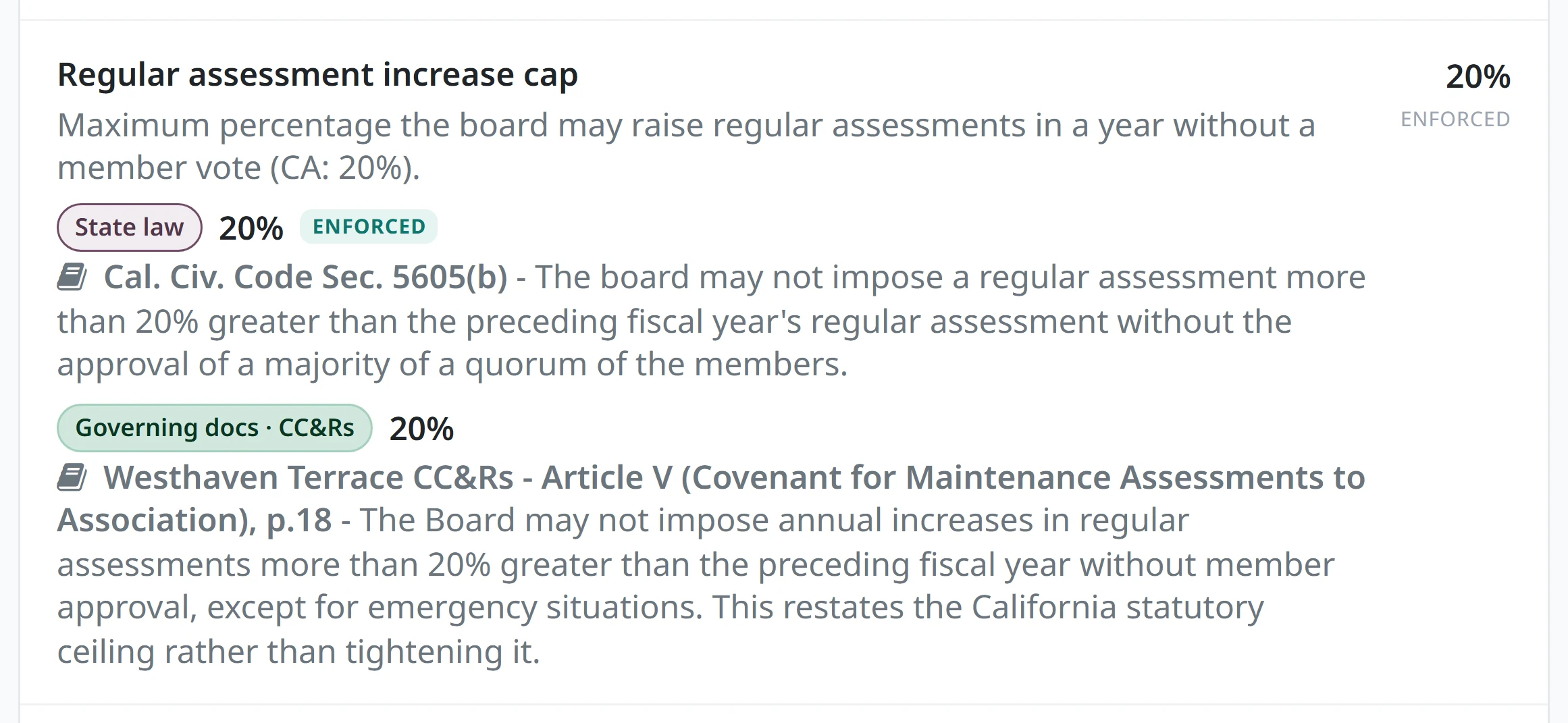
Not on our idea of how an association should work. The increase cap, the notice period, the hearing window, the contract term, the value that needs a member vote: every one of them is read from your recorded documents and the statutes of your state, and quoted back with the section it came from.
That layer is ResLife Compliance. It is on for every association and there is nothing to switch on.



 Embedded AI

Sponsor, CAI Community NOW 2026, Fort Lauderdale




Your association’s records sit on the same infrastructure large enterprises run on, in your own database, with payments handled by Stripe rather than by us.
Where we will be
Questions
What People Ask First.
What is ResLife?
The community operations layer: a suite of tools for the governance and operational half of running an association, built on two promises. No more busywork: the system does the work, from the board packet to the budget math. No more guesswork: it remembers what is due and runs on your association’s own governing documents and your state’s statutes, citing the rule behind each decision. Each tool works on its own, and your system of record stays exactly where it is.
What does it cost?
The operational tools are free to use: no trial, no credit card to start. When an association collects assessments online on the free tier, each payment carries a $0.50 + 0.25% add-on on top of Stripe's published rates. On the free tier, meeting briefs and rule drafting draw from a one-time AI credit of $0.50 per unit, then bill at provider cost + 15%. Paid plans waive the add-on, include all AI and carry $1 per unit per month, the same at every portfolio size. On an association a management company runs, the owners pay it as a technology fee with their online assessment payment, not the firm; where a state does not allow the owner fee, the firm pays it.
Do we have to migrate anything to start?
No. Everything you already run keeps running exactly as it does today. Upload the documents you already have, work in the tools you want, and take the results back out as a PDF or an Excel file whenever you like.
What does "it runs on your governing documents" mean?
Every deadline, limit and threshold comes from the association's own recorded documents and the statute behind them, quoted on the record it constrains. Change the association and the software behaves differently, because the rules did.
Who is it for?
Self-managed boards and professional management firms. A volunteer board gets real software without a budget approval. A manager adds it alongside the firm's existing system, one association at a time, starting with the one they are already dreading.
Do owners have to create accounts?
For budgeting, no: owners are notified as followers, and nobody needs a portal login to receive the budget. The resident portal is there when they want it: dues, documents, requests and the board roster, self-serve.
Is the free tier a trial?
No. The operational layer is free permanently and does not expire. The paid tier is ResLife Finances: the association's books, full accounting and collections with the processing add-on waived.
How is this different from the HOA software we have seen?
A system of record stores what happened. ResLife runs what happens next: each record carries its full context, moves itself forward, and every decision becomes the next action, with whoever needs to know notified. Keep your system of record; this is the layer that does the work.
Put It Down.
The point of a system is not efficiency. It is that you get to stop remembering. Set up one association this afternoon and let it start carrying that part.
Free. No credit card. Nothing to migrate.