HOA Board Meeting Tool
From Agenda to Adopted Minutes,
in One Record.
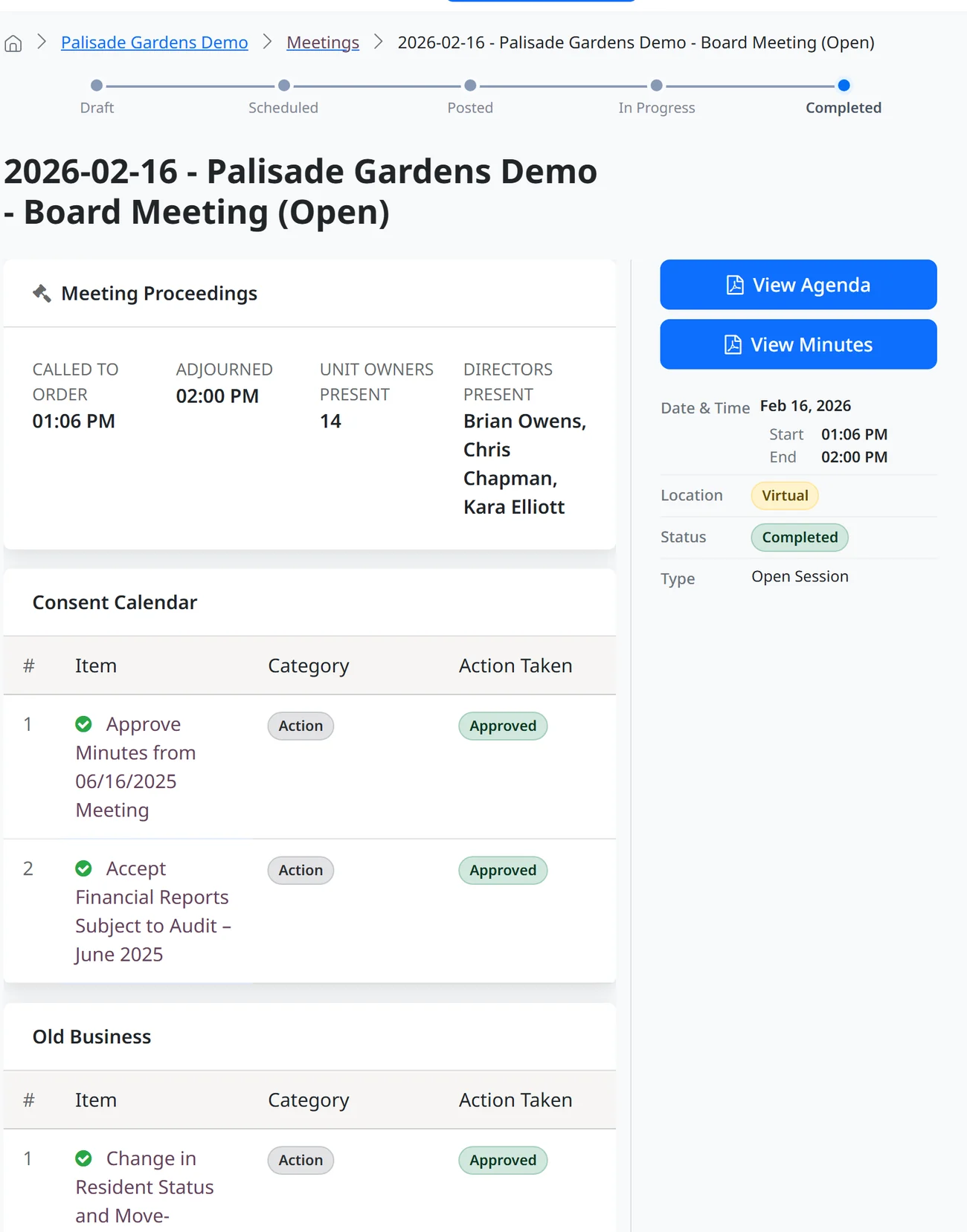
ResLife builds the agenda from the work you are already doing, automates the generation and distribution of agendas and minutes, runs the meeting in the portal with the complete context of each system record, and turns every decision into action. No Word documents. No email threads.
A free tool you can use on its own. Move over the rest of your systems later, if you choose.
Run by Hand, Not by a System
Today, Board Meetings Happen Outside the System.
Agendas, notices, minutes, and the follow-ups after. Every one assembled by hand, month after month, and none of it connected to the records the board is there to decide on.
Which means it is
Agenda Prep
The Agenda Builds Itself.
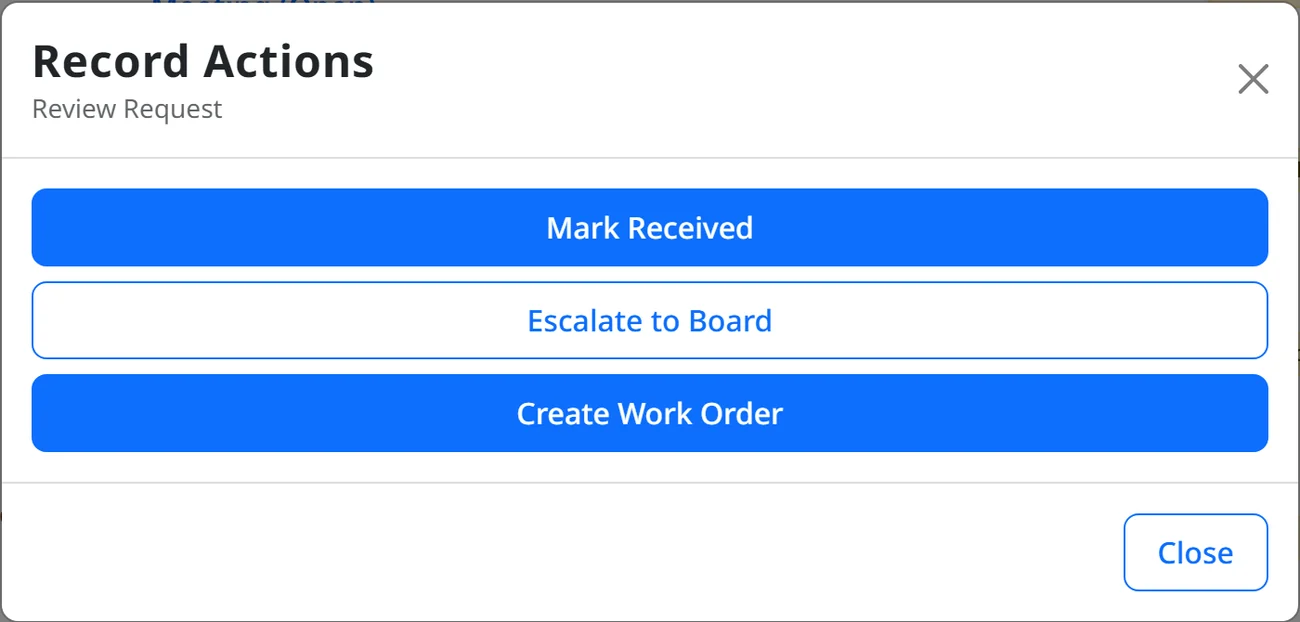
Escalate any request, issue, or complaint to the agenda and its full context travels with it: the thread, the record, and the attachments. Last meeting's minutes and unreviewed financials drop onto the consent calendar on their own.
- Drag agenda items to sort and prioritize
- One click posts the agenda, another sends it as a calendar invite
- No Word documents, no copy-and-paste between meetings
Governed by Your Governing Documents
The Board Votes Knowing
What It May Do.
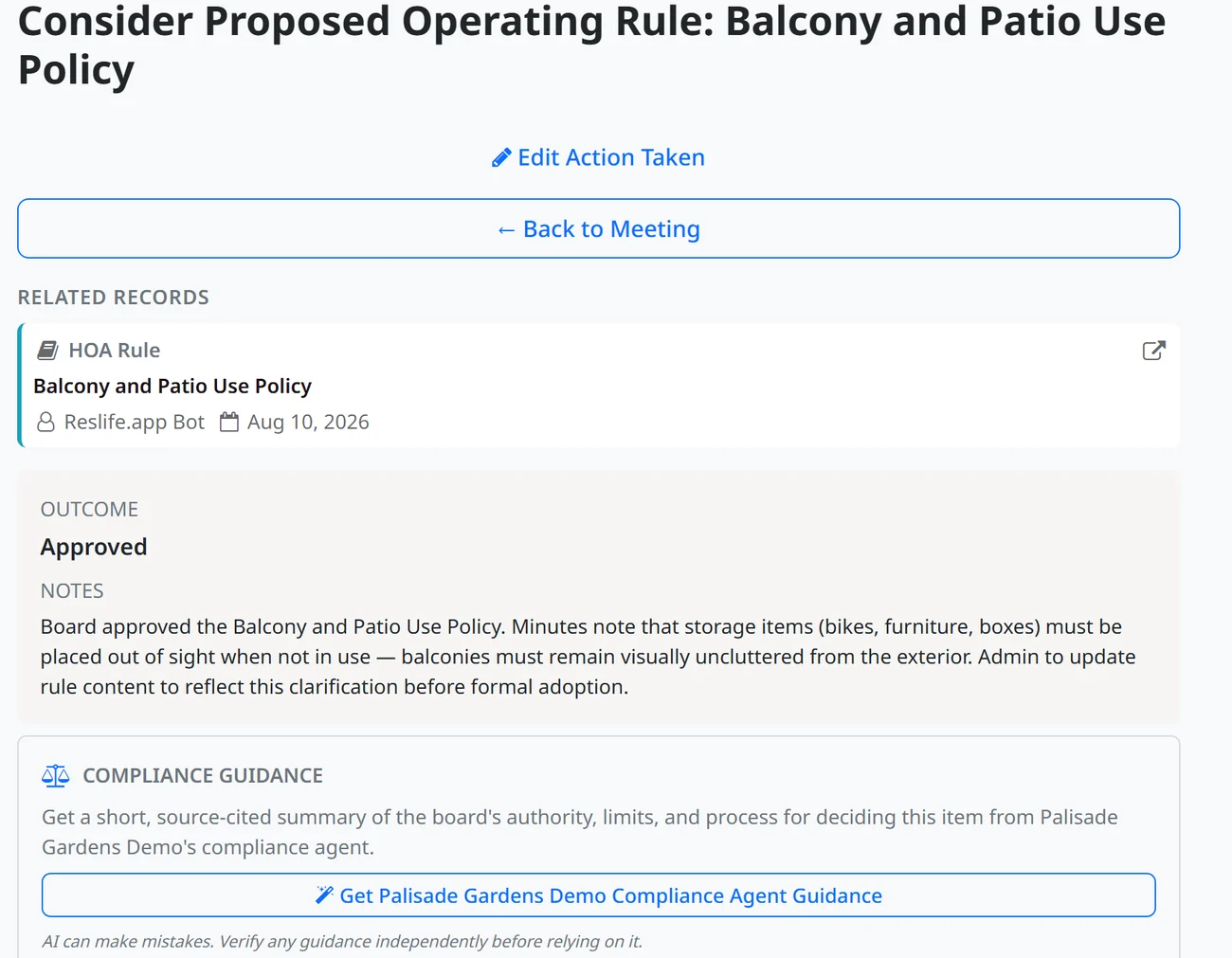
Move through the agenda in the portal, recording each outcome as you go. On any decision, ask the built-in compliance agent and get real-time guidance drawn straight from your CC&Rs, bylaws, and state statute: the board's powers, its limits, and the procedure it has to follow. Your board votes fully informed, every time.
- Real-time guidance on any discussion or action item, before the vote
- The board's powers, obligations, limits, and required procedures
- Every point cited to your governing documents and statute, advisory to verify
After the Vote
Decisions Become Action Before You Leave the Room.
Your outcomes and notes flow straight into the record. Nothing is re-typed.
Draft Minutes, Automatically
The action taken and notes on each item become the meeting's draft minutes.
Adopted, Then Signed
Minutes are adopted on the next consent calendar, sent to the secretary for e-signature, and posted to the portal.
Action Automation
Approve, deny, or table, and the underlying record updates itself and the right stakeholders are notified.
What You Get Back
The Prep Happens While You Work.
The agenda, the notice, the minutes, and the follow-through run themselves, so meeting prep stops being a job in itself.
Questions
Board Meetings: The Questions We Get.
Is this board meeting management software for HOAs?
Yes. It runs the full board meeting lifecycle for community associations: agenda, notice, minutes, e-signature, and follow-through, in one system.
Does it write the meeting minutes?
Yes. Your recorded outcomes and notes become the draft minutes, which are adopted on the next consent calendar and sent to the secretary for e-signature.
How is this different from a board portal or Word and email?
Those store documents. ResLife runs the whole lifecycle and turns each decision into action automatically.
Do we have to switch our whole system?
No. The board meeting tool works on its own. Use it at no cost, and if you ever want the paid features, you already have a head start, not a migration.
Run Your Next Board Meeting
in the Portal.
Build the agenda, run the meeting, and let the minutes and follow-through run themselves. Use it at no cost, with no trial and no credit card.
Using it also gets you set up in the system, so if you ever want the paid features, you have a head start, not a migration.