HOA Board Meeting Tool
From Agenda to Adopted Minutes,
in One Record.
ResLife builds the agenda from the work you are already doing, runs the meeting in the portal with each record’s full context, drafts the minutes and turns every decision into action. Notice is checked against your documents before a date is set. No Word documents. No email threads.
A free tool you can use on its own. Nothing to migrate.
Run by Hand, Not by a System
Today, Board Meetings Happen Outside the System.
Agendas, notices, minutes, and the follow-ups after. Every one assembled by hand, month after month, and none of it connected to the records the board is there to decide on.
Which means it is
Agenda Prep
The Agenda Builds Itself.
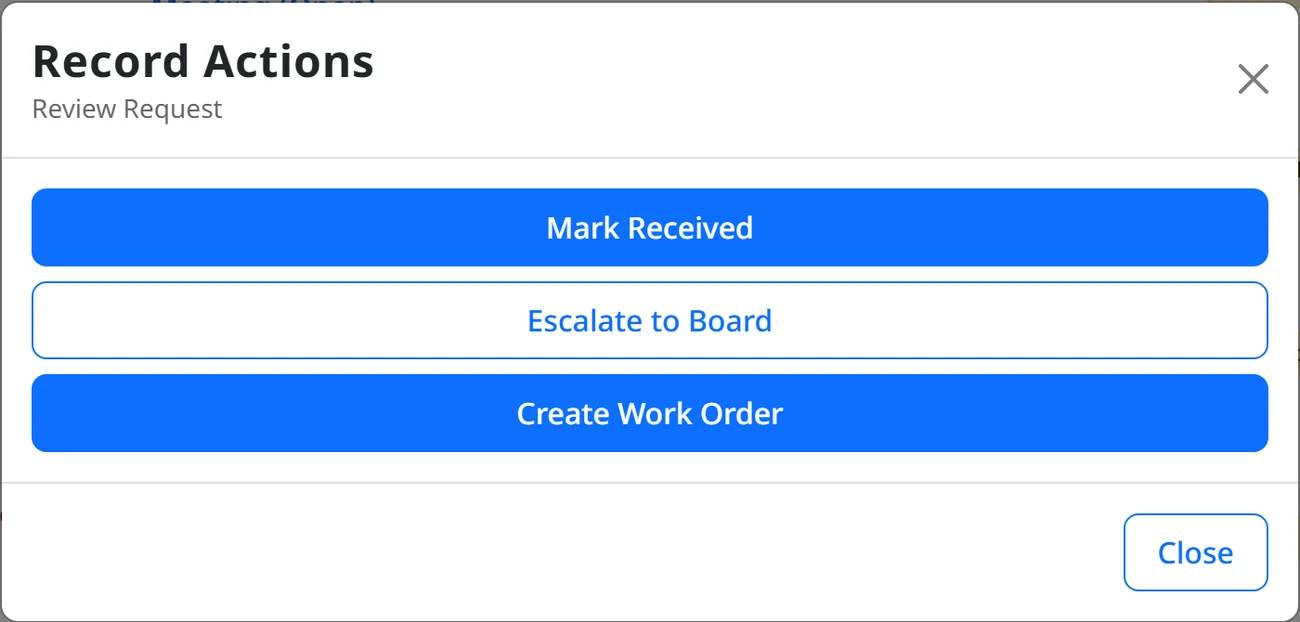
Escalate any request, issue or complaint to the agenda and its full context travels with it: the thread, the record and the attachments. Last meeting’s minutes and unreviewed financials drop onto the consent calendar on their own.
- One click posts the agenda and sends members a calendar invite
- Each director gets a personal invitation, and the board packet builds itself from the agenda
Notice
The Notice Period Is Checked
Before the Date Is Set.
The advance notice a meeting needs comes from your governing documents and your state’s statute. ResLife checks it before any date is written, and again every time the agenda changes.
Scheduling
A date or a reschedule short of the notice period is refused. An emergency meeting waives notice only with its reason recorded.
Agenda changes
Change the agenda after it posts, and the re-notice tells you whether members still have their legal notice.
Late items
Where the law limits the board to noticed items, an item added late is flagged, and the board can act on it only once the exception the statute allows is recorded.
Board Packet
One Click to Send It,
or Skip It Altogether.
The board packet is the most stressful part of meeting prep. In ResLife it is one click: generate it and send it. Or skip it. Each agenda item in the portal already carries its summary, management’s recommendation, its documents and its history, so directors prepare from the portal and the meeting runs from the same pages.
When you do send one, it builds itself from the agenda, with the manager’s report, open follow-ups and the financial review included. Directors get a sign-in link instead of an attachment someone can forward.
- In the association’s own colors, each copy watermarked with the director’s name
- Recommendations lock once the packet goes out
- Send it now, or schedule it to go out before the meeting

Before the Vote
The Board Votes Knowing
What It May Do.
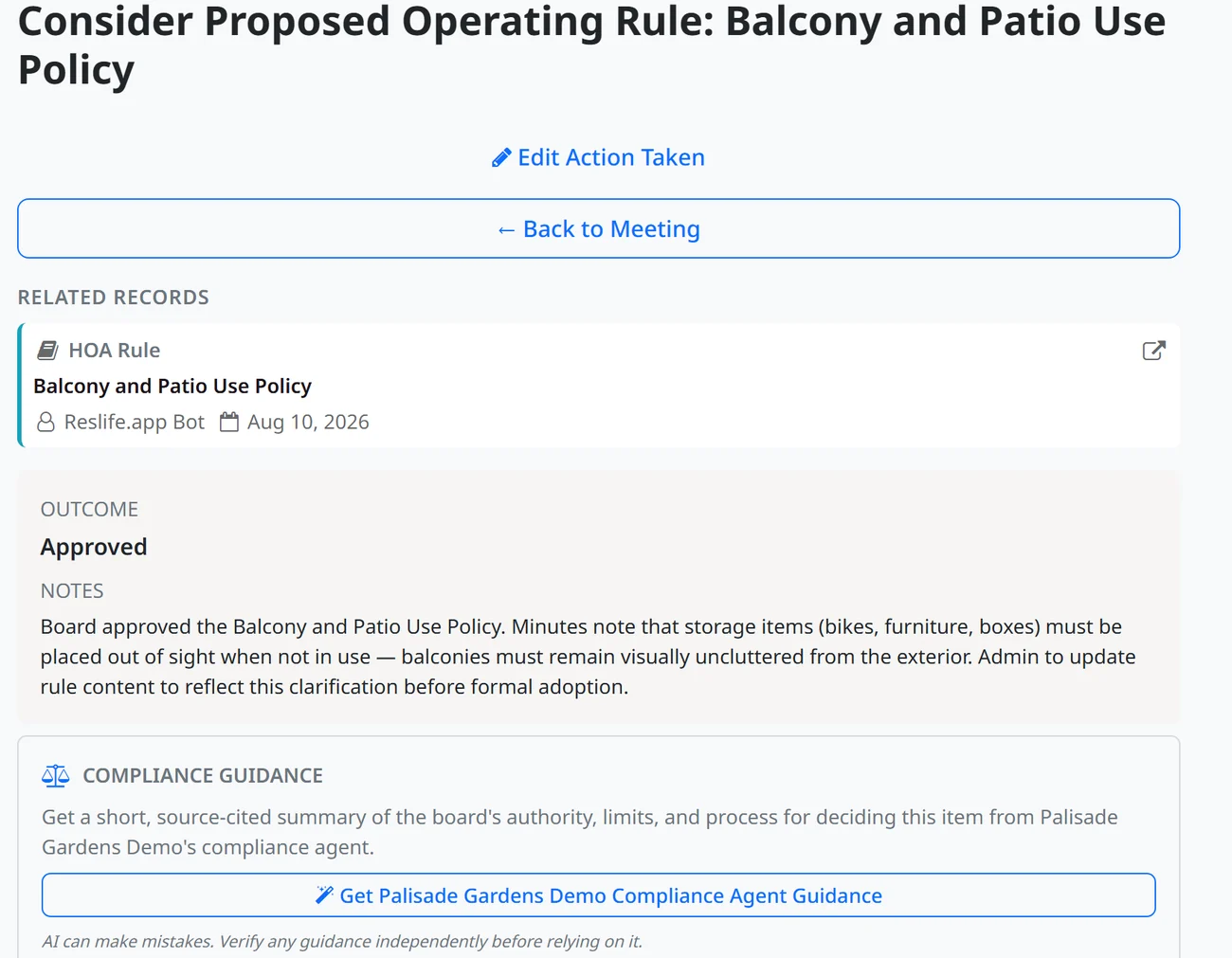
Move through the agenda in the portal, recording each outcome as you go. On a decision item, ask the built-in compliance agent for guidance drawn from your CC&Rs, bylaws and state statute: the board’s authority, any problem in the record, and what to check before the vote.
- Real-time guidance on action and discussion items, before the vote
- The board's authority, problems in the record, and traps to avoid
- Every point cited to your governing documents and statute, advisory to verify
After the Vote
Decisions Become Action the Moment You Post the Minutes.
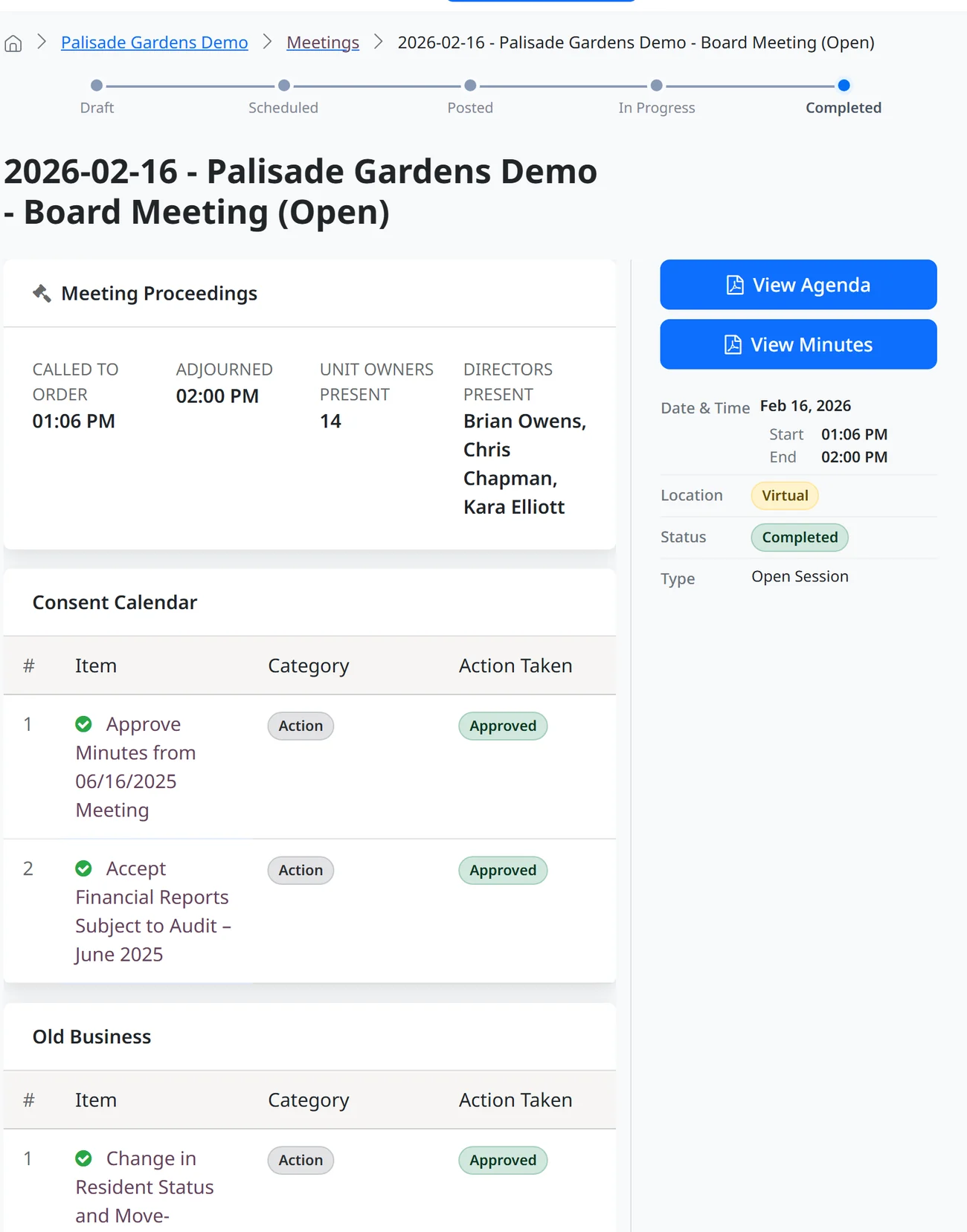
Check the outcomes and notes once when the meeting ends, and they flow straight into the record. Nothing is re-typed, so meeting prep stops being a job in itself.
Draft Minutes, Automatically
The action taken and notes on each item become the meeting's draft minutes.
Adopted, Then Signed
Minutes are adopted on the next consent calendar, sent to the secretary for e-signature, and posted to the portal.
Action Automation
Approve, deny, or table, and the underlying record updates itself and the right stakeholders are notified.
Hold the meeting on Google Meet and ResLife drafts the minutes from the transcript: every motion, who moved and seconded it, and how each director voted. The secretary corrects and approves. Adopt the records policy that comes with it, and the transcript is deleted the day the minutes are approved.
Questions
Board Meetings: The Questions We Get.
Is this board meeting management software for HOAs?
Yes. It runs the full board meeting lifecycle for community associations: agenda, notice, minutes, e-signature, and follow-through, in one system.
Does it write the meeting minutes?
Yes. Your recorded outcomes and notes become the draft minutes, which are adopted on the next consent calendar and sent to the secretary for e-signature.
How is this different from a board portal or Word and email?
Those store documents. ResLife runs the whole lifecycle and turns each decision into action automatically.
Do we have to switch our whole system?
No. The board meeting tool works on its own. Use it at no cost, and if you ever want the paid features, you already have a head start, not a migration.
Run Your Next Board Meeting
in the Portal.
Build the agenda, run the meeting, and let the minutes and follow-through run themselves. Use it at no cost, with no trial and no credit card.
Using it also gets you set up in the system, so if you ever want the paid features, you have a head start, not a migration.