ResLife Docket
One Worklist for Your
Whole Portfolio.
Every association’s open work in one list, fed automatically and cleared when the record resolves. Ranked by what is due, so nobody has to remember what comes next.
A free tool you can use on its own. Nothing to migrate.

Everything in One System
The System Runs the Work
Because the Work Lives Here.
In most communities, requests, applications, agendas and minutes are PDFs and Word files scattered across email and desktops, where no system can act on them.
ResLife keeps every record in one place, visible to every manager and board member. Each one moves along a workflow built by people who mapped how the work moves, and lands on the Docket when it needs you.
How it works now
- Violation letter v3.docx
- ARC approval scan.pdf
- Re: Fwd: leak unit 305
- Board notes 2-16.docx
- vendor bid FINAL.pdf
- Minutes DRAFT (2).docx
- Assessment ledger.xlsx
- Text from the president
On the docket
- Leak reported, Unit 305 Pending decision
- Balcony and patio rule, proposed Pending adoption
- Roof shingle repair, three bids Pending board review
- Move out, Unit 410 Pending move
The Virtual Inbox
Every Community Gets a Virtual Inbox.
Forward anything you need to track to the community’s address, for example [email protected], and it files itself to the right record. Share the address with members and vendors, and their mail arrives tracked, threaded to the conversation and ready to work.
The Activity Rule Engine
The Next Step Queues Itself.
Finished Work Clears Itself.
When a decision is made, the Activity Rule Engine queues the next step on the record. Activities fall off your list the moment their record is updated, so you never mark anything done.
- Every row says what it is, then what to do. Group the day by property or by type
- Action items that complete themselves, so nothing lingers
- Done keeps the record of who closed what, and when

Native Request Processing
Requests Arrive as Records.
Every kind of request a community handles is processed natively, with no PDF to print, sign, and scan. Residents submit through their portal, or simply email it in, and you handle it in the Docket, usually in a few clicks.
Handle it in the Docket. Escalate when needed.
Most requests are resolved in a few clicks. When an item needs a board decision, escalate it and its full context moves to the agenda. After the meeting, the resolution flows back to the original record automatically.
Ready to run the whole operation?
The paid plan adds ResLife Finances: the association’s books and collections, on the same records you are already running here.
Upgrade to the Paid PlanThe Weight You Carry
The System Does the Remembering,
Not You.
Every deadline, every request and every promise to an owner used to live in your inbox and your head. On the Docket each one is ranked by what is due, and every waiting item says what it is waiting on and until when.
- Ranked by what is due, not by what arrived last
- Waiting on a vendor, a decision or a send date: the row says which, and for how long
- Schedule a notice for later, and the date picker stops at the last day the law allows, citing the rule
Close the laptop at six. The Docket holds every deadline, so you stop carrying them home.

Getting Started
As Simple as One, Two, Three.
Add Your Community
Upload your governing documents and basic details for your community, or communities. The system pulls in your unit data automatically.
Bring In Your Members
Import your user and member data, then optionally invite them so they gain access to the unit portal.
Start Now
Forward emails into the system, or update the invoice email vendors have on file, so those records land in your ResLife Docket.
Whether you use the unit portal or just the association portal for internal purposes, the Docket's new inbox becomes your router for work.
Questions
The Docket, Answered.
Is the ResLife Docket task management software for HOAs?
Yes. It is task and workflow management built for community associations, with action items that complete themselves. But unlike other project or task management systems, you and the system manage underlying business records that each have their own workflow and prescribed activities to move the records forward to completion. This is better for record keeping as every action taken maintains a complete audit trail. Designed by process engineer experts to take the busy work out of managing Association business.
How do community members submit requests? Is the virtual inbox the address they email?
They can email the virtual inbox, but the recommended way is inside their unit portal, where a resident or owner opens a request and it lands on the right record from the start. The system is also intelligent enough to handle requests emailed in: send one to the community's address and it files itself to the correct record. Either way, the request becomes a real record you can work, not just a message in a mailbox.
How does message threading work?
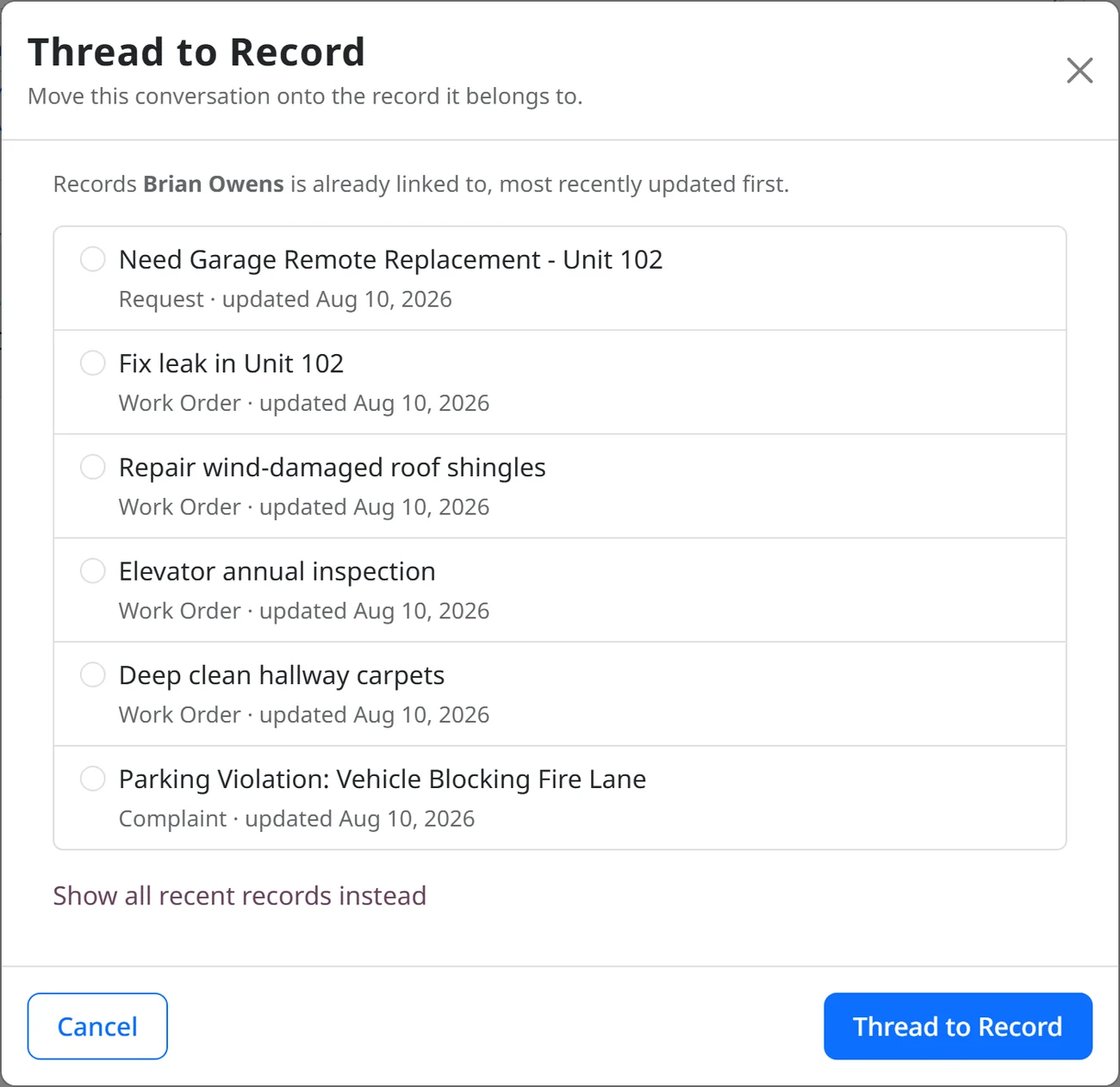
Every message is attached to the record it is about: a request, a violation, an application, a work order. Replies thread onto that same record in order, so the whole conversation stays in one place and moves with the work.
Will replies come back to my personal email inbox?
Yes. You still get email notifications when someone replies, so you stay in the loop. The message and its full history also live on the record, always available inside the association portal, so the work never depends on your personal inbox.
How do I know which stakeholders receive a message?
Each record shows who is following it, so before you send you can see exactly who will be notified.
Can I send a community-wide update?
Yes. You can send an announcement to the whole community, and it goes out as a notification while staying recorded in the system.
Do we have to switch our whole system?
No. The ResLife Docket works on its own. Use it at no cost, and if you ever want the paid features, you already have a head start, not a migration.
Can a self-managed HOA use it?
Yes, and it is free to use, with no trial and no credit card. Self-managed boards and community managers both run on the Docket.
Free to Use
Get Out of Your Inbox
and Into Your Docket.
Route every message, surface every deadline, and let the work complete itself. Use it at no cost, with no trial and no credit card.
Using it also gets you set up in the system, so if you ever want the paid features like accounting, you have a head start, not a migration.